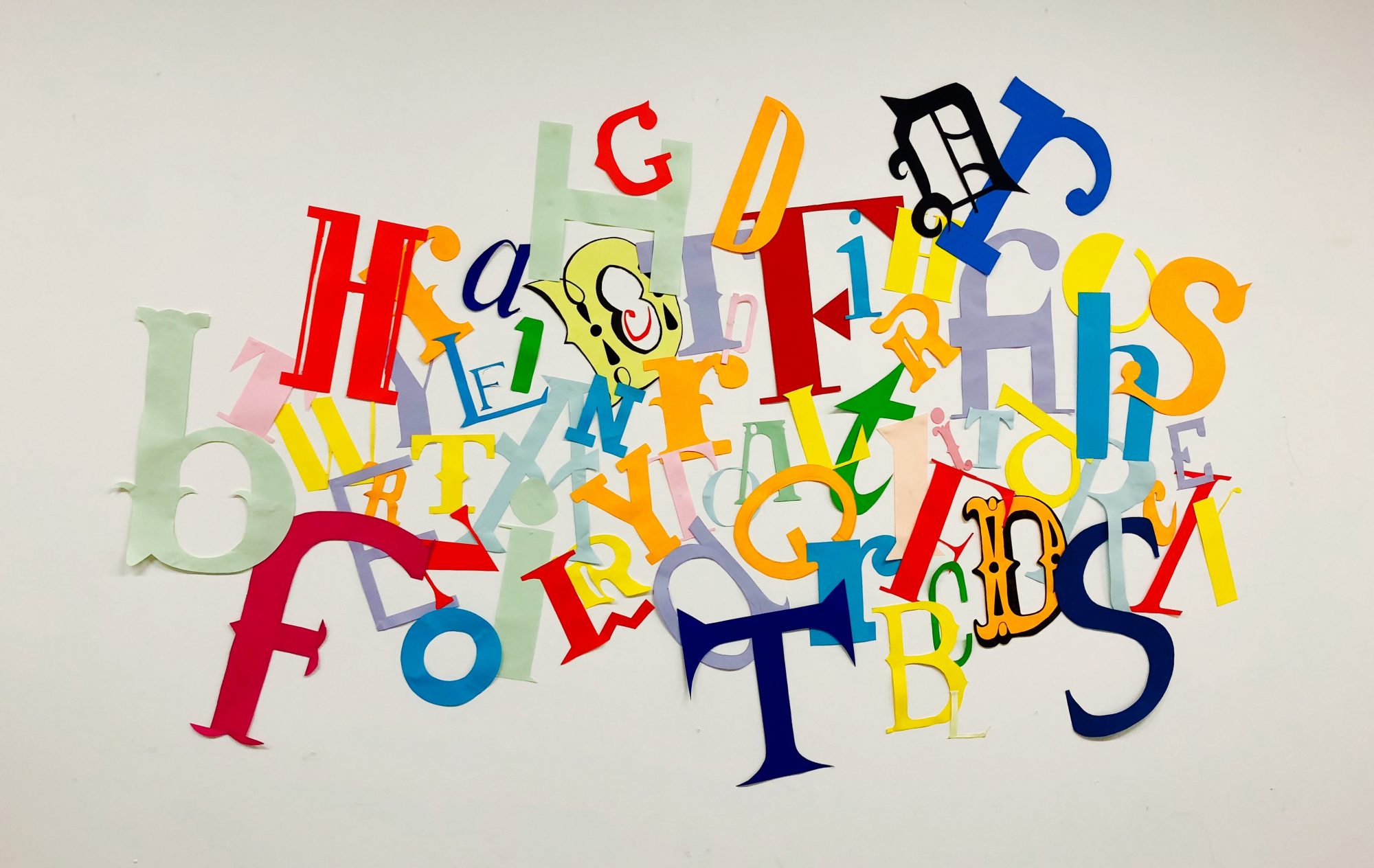
Idea 1
When I thought about my movement I initially thought about glitchy screens and found lots of images and videos similar to these, as well as lots of videos from films or movies, such as ‘The Matrix’. Firstly I looked at a traditional glitch effect and the main ideas behind it, like the colours and layers used, I then took lots of influence from the style and effects created by the glitch scenes in the film ‘The Matrix’, like the simple black and green colour way and the way it is made to look 3D just by adding layers on top of layers.

I came up with the idea to use a similar style in my animation. I would have the whole animation based on a computer which starts off with a screen working seamlessley and ultimately ends up with a complete frozen screen.
After initial sketch into the idea and what it might look like, I started to think about how the movement itself would be shown in the movement and how it would be clear to the reader what it is. Following on from my research, one of the main things that came up was that if you leave a computer to load when it freezes or buffers, it will go back to normal in a very short amount of time, however in reality no one ever really leaves a computer alone or stops clicking, and i based my general idea around this. I came up with the idea to have a narrative of one person using the computer, doing work or searching on the internet whose ‘character’ would be shown using the mouse. The other would be what he’s thinking inside his head, this would be shown with text on the screen. The mouse would be moving around the screen, constantly clicking to get the computer to hurry up or stop freezing, and the text would be telling them to stop clicking and leave the computer alone.
After my picture association I also started thinking about the idea of having lots of shouting and anger towards the computer as it starts to freeze and thought the shouting would be a good way to implement the text onto the page.
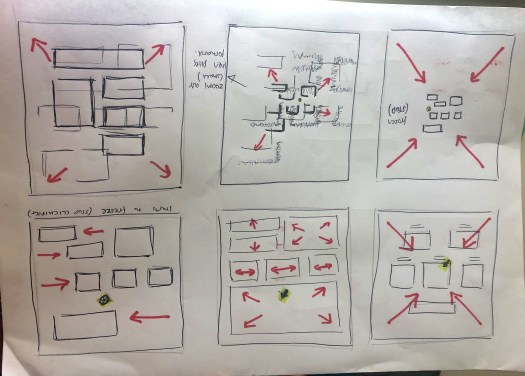
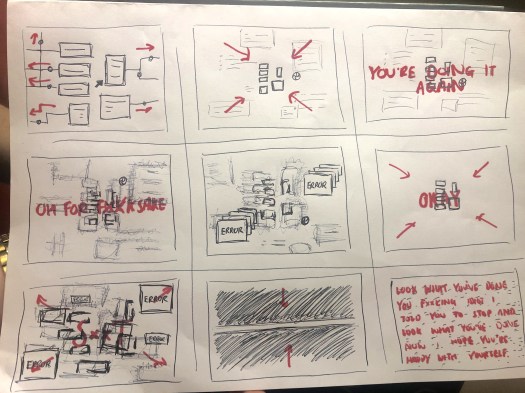
I created a rough storyboard about my idea. The first 3 scenes would be the websites transitioning seamlessly. It will then start to freeze and buffer. The loading icon is in almost every scene to show the buffering, and the text will pop up to tell the user to stop clicking and wait for the screen to load. As it goes on, the buffering becomes more sever and the text will get larger and ‘angrier’ to the point where the computer breaks down.
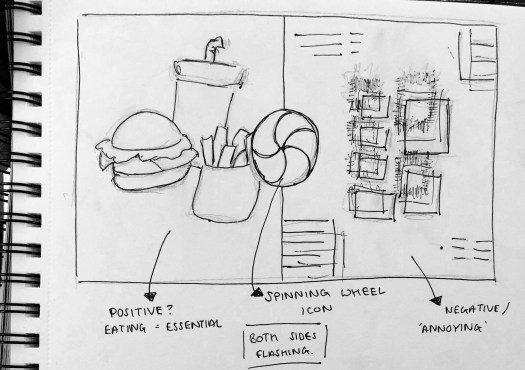
After revisiting my picture association I asked myself after seeing the picture of the apple loading icon ‘how long will it be there for’ and ‘what could I be doing instead of waiting for it’. I did some research into the spinning wheel loading icon and found out sometimes the only way to get rid of it is to force quit the application, however most of the time it will only appear for around 10 seconds while the problem is being fixed and then it will go back to normal.
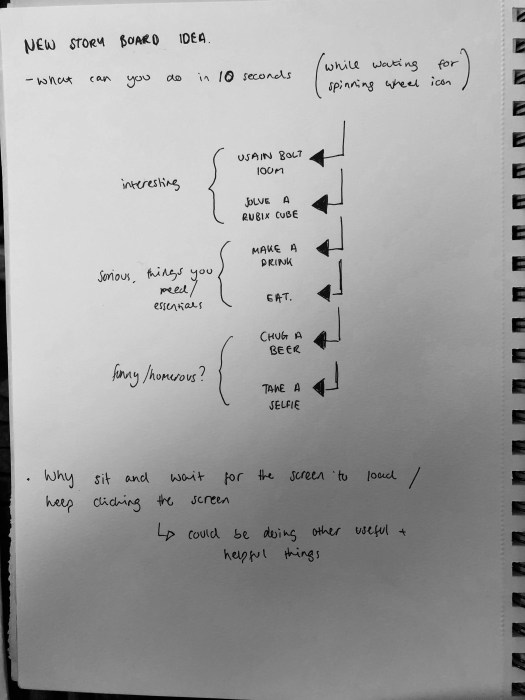
So I started thinking of thing you could do in 10 seconds and came up with lots of different ideas. I thought of lots of different ideas, such as Usain Bolt running the hundreds meters as an amazing and interesting fact, to normal things like eating or drinking, to funny ideas like taking a selfie or chugging a beer. I could use the idea to either show what funny things you could do, or I could use it to show what amazing or extraordinary things people can do which will shock the viewer.
Idea 2
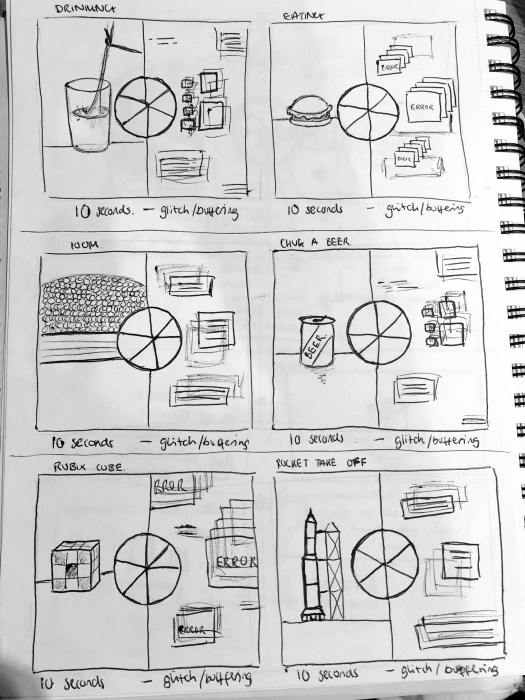
The first idea I had was based around a slit screen view, where one side would be the activity being carried out, in this case eating, in contrast to the buffering happening on the other side of the screen, to show what you could do whilst waiting for the screen to load. The spinning loading icon would be the centre point of the design with 5, 10 second scenes showing what you can do in 10 seconds and the buffering screen staying the same the whole way.
Idea 3
My 3rd idea is similar to idea 2, however instead of each of the animations lasting 5 seconds each, they only last 2 seconds each and flash between them. The loading icon would be spinning throughout and The buffering screen would stay the same.

Idea 4
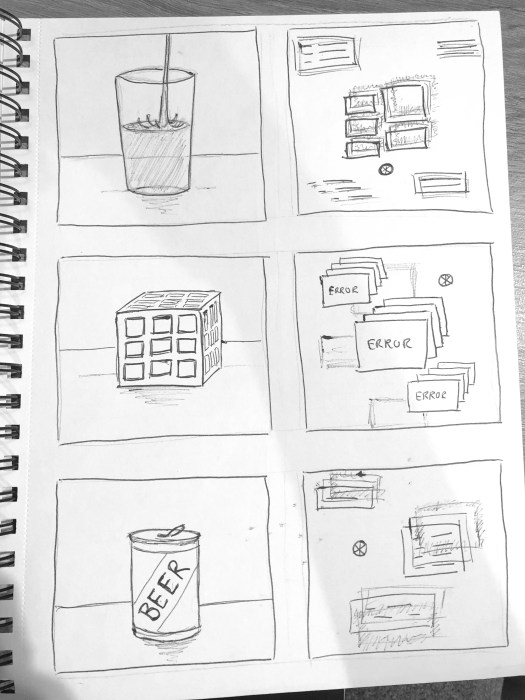
My next idea was the same principle but without a split screen effect. It would be 5, 10 second animations. The video would flash between my animations of ‘what you can do in 10 seconds’ and the glitchy, buffering screens, with the spinning loading icon popping up between every animation.
Idea 5
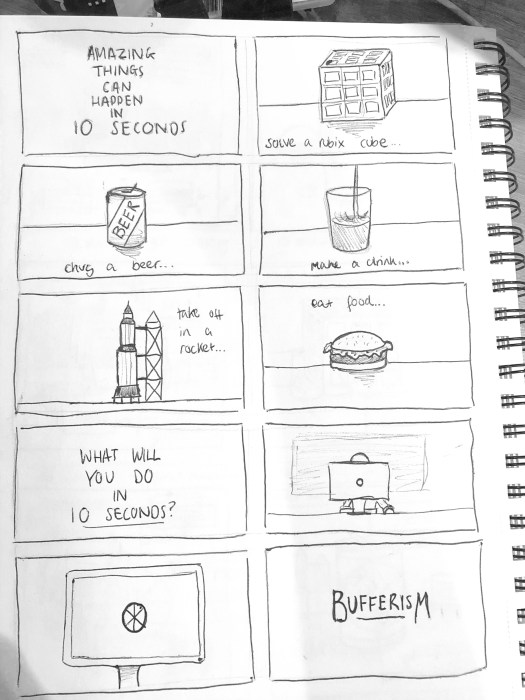
My final idea is again very similar, however instead of flashing between the two animations, or having a slip screen I would have the 5 animations about things you can do in 10 seconds back to back, transitioning from one to the other, with the final scene being a frozen/buffering computer with a grumpy, tired looking man sat at it. This will show the audience all the amazing things you can do, and show contrast between what you should be doing and what you will actually be doing.
 Ben Jackson