
As I stated in the previous post, a navigation bar was something I was planning to add anyway, however lots of the feedback helped me make a decision about the aesthetic of it. The majority of people I spoke to said it should be a separate menu which opens when the app opens up, instead of a navigation bar. The home button on each page would lead back to this screen.
This was a chance for me to be slightly more experimental with my design and create an innovative menu bar.
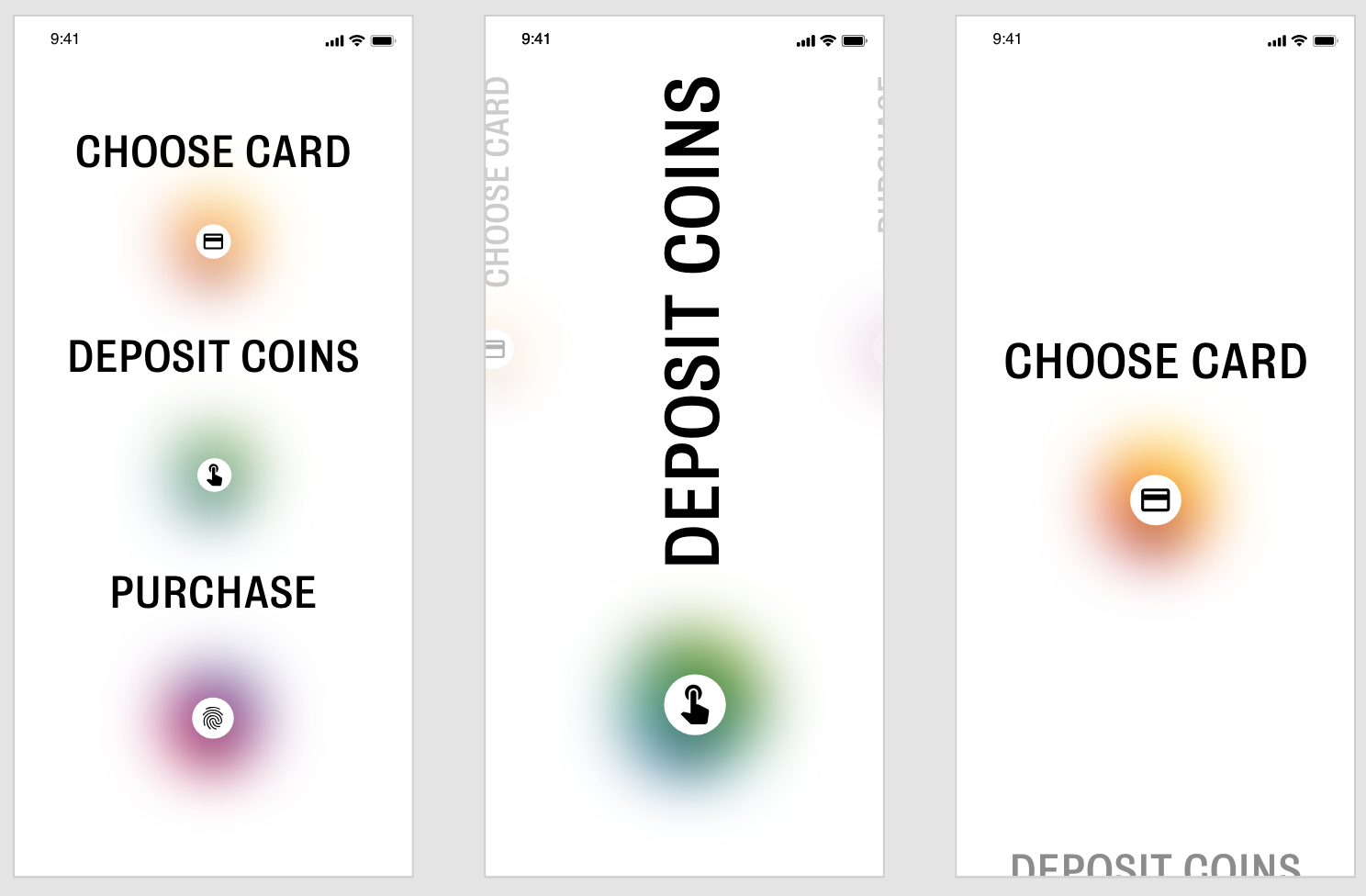
I wanted to use the same idea for my menu as I did for the Deposit page, using the 3 different coloured circles and the colours for each different page. I only had three main pages to navigate to and from so I wanted each option to be stand out on the page, with no other elements or icons involved. I used https://www.xdguru.com/ to find some icons to use in the menu. I had the same issue when designing this as I did when designing the ‘Choose Card’ page. The first design uses the space well and makes it clear what the options are, however the page selected or chosen doesn’t appear any larger or different so it isn’t clear. The remaining 2 ideas both use a scroll mechanism similar to that used in the choose card page. I think both of them work, however the central design is much more prominent and obvious and I think it works better, I also had lots of positive feedback on the drag system within the Choose Card page. I think it works well to break up the pace of the app and adds something a bit different to look at.
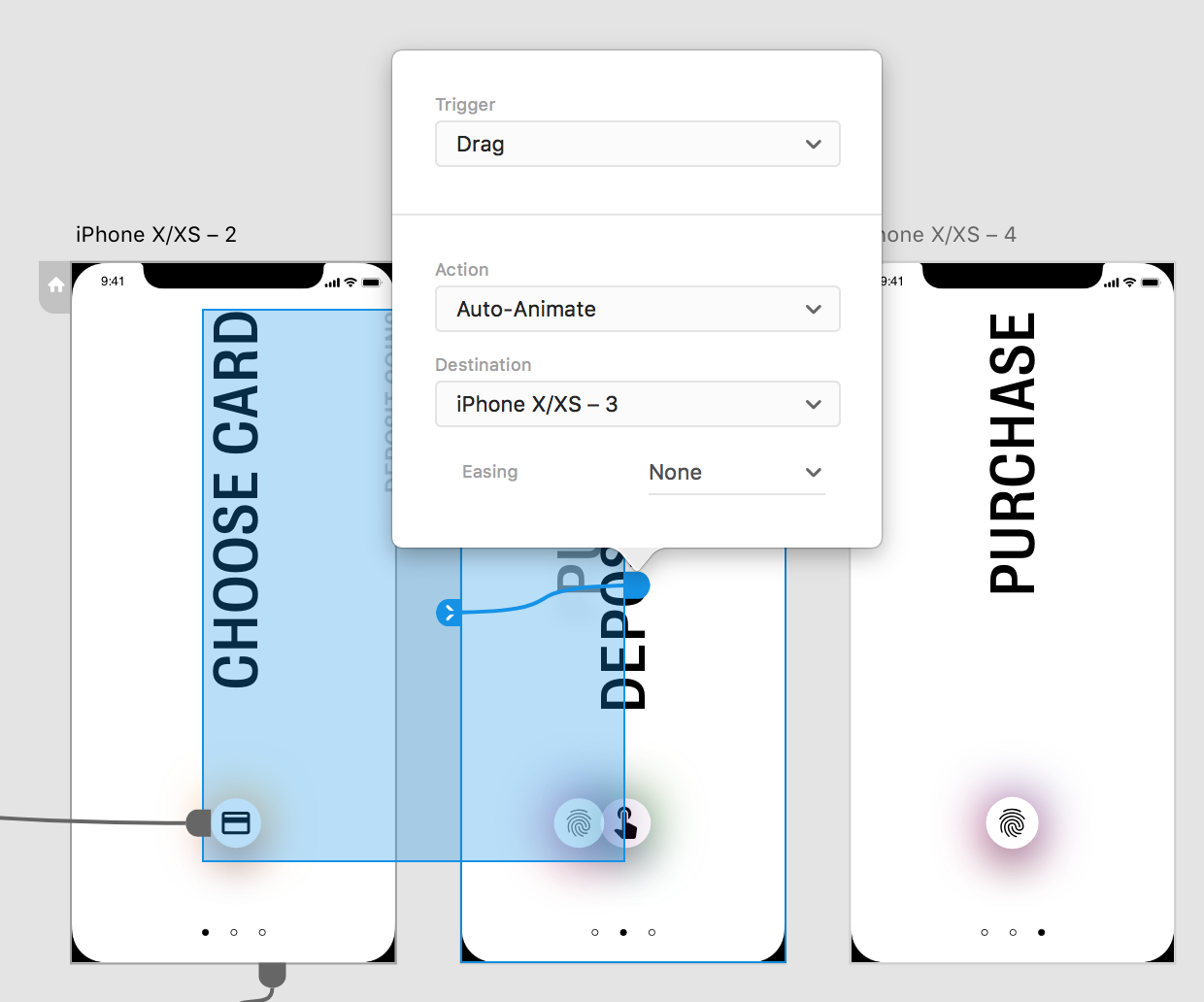
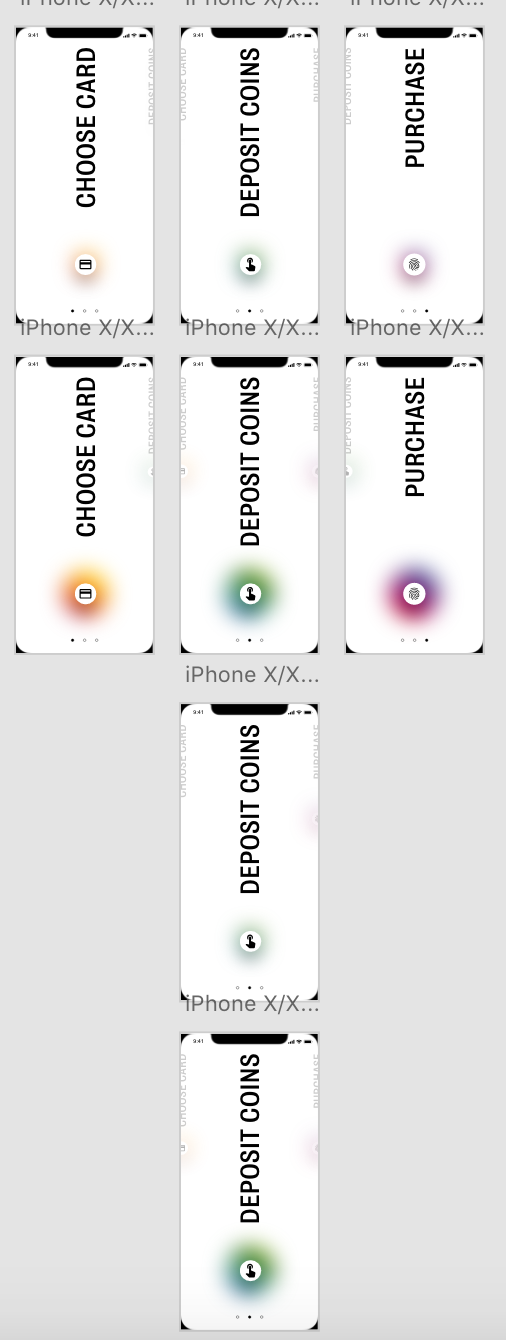
I added the same drag sequence as I did previously with the cards, so that each line becomes bigger as it is pulled onto the centre of the screen. I also added an extra feature with the icons but adding a timer effect to each page. As the menu bar is dragged across and each line moves into the centre, the coloured glow behind each icon enlarges. I think It’s a nice feature to add to give a bit more colour and stick with the colour changing theme.
 Ben Jackson