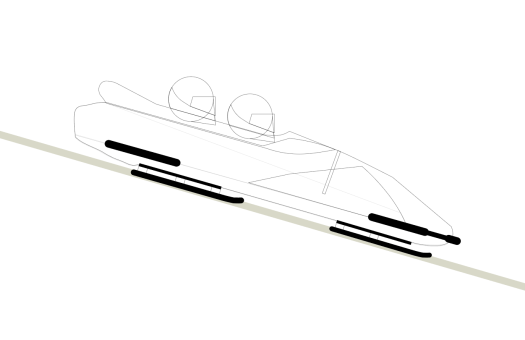
I used a similar process to before, designing my bobsleigh in illustrator starting off with simply drawing out the outlines. I drew it 2d using a classic bobsleigh shape and added the two helmets so it was obvious the animation is about the people in the bobsleigh not just the bobsleigh itself.
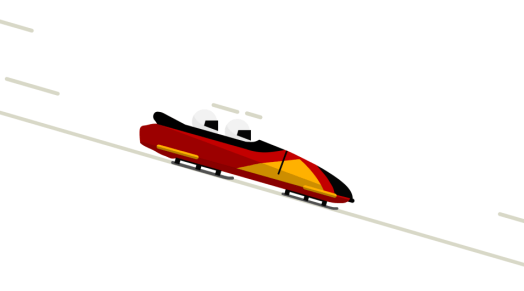
I then added colour to the image, making predominantly red and orange to make it pop and stand out from the white background. I added multiple white lines behind the image and made them move from right to left throughout the animation to give the sense of the bobsleigh moving forwards at high speeds.
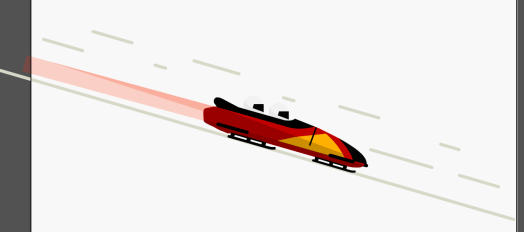
I didn’t think the bobsleigh looked like it was moving fast enough with just the lines moving in the background, so similarly to the rocket I added a trail out of the back which stays static, just to give a sense of speed.
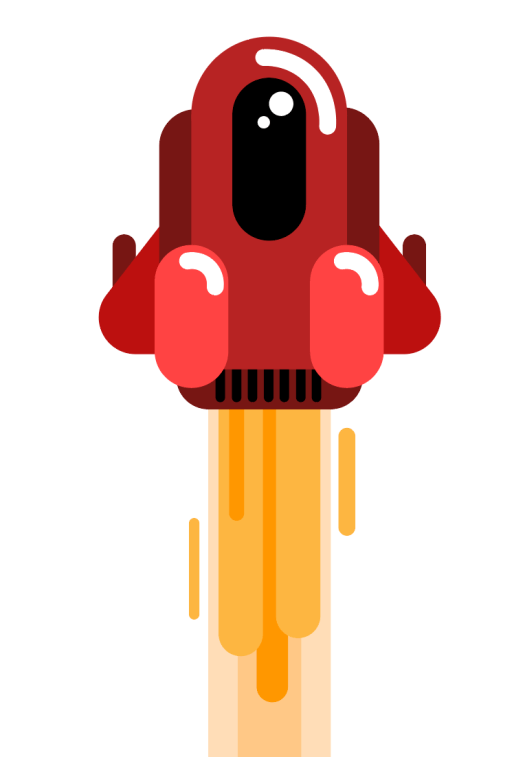
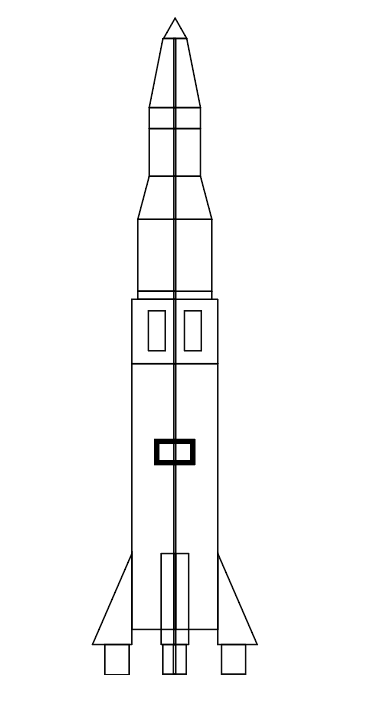
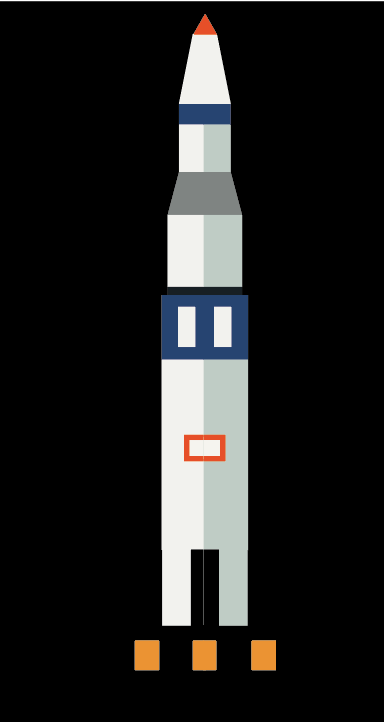
My next animation was a rocket taking off and soaring into space. I created an illustration of a rocket on illustrator. I used a similar theme to the skydiving illustration using lots of curves and bright colours to create a colourful image. I also added fire trails to the back to animate t ogive the sense of the fire coming out from behind the rocket.
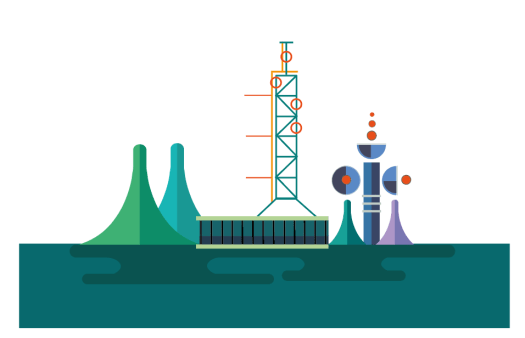
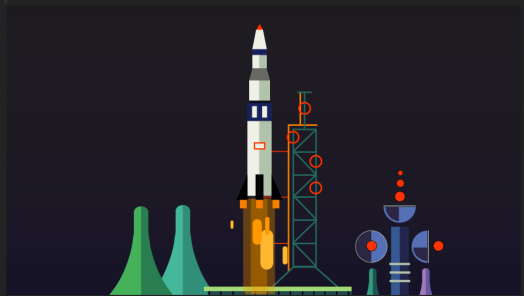
I then created the background for the animation as I wanted to give the impression of the rocket taking off and flying through space. Firstly i created the take off platform, using bold shapes and colours, keeping it simple with no shading. I kept it non-realistic to stick with the theme as I did with the rocket.
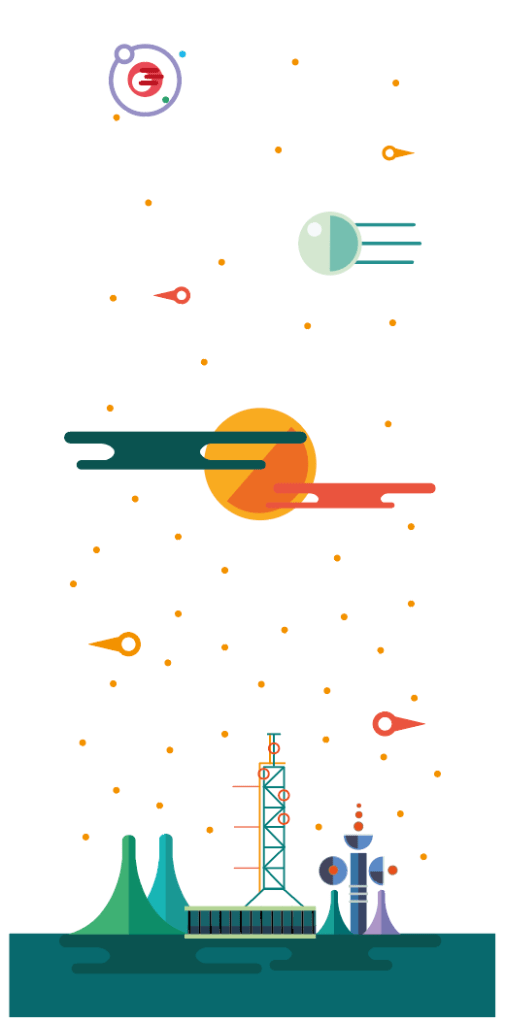
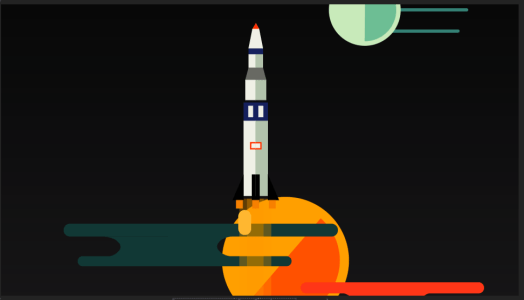
Next I made the illustration taller and added various features including stars and planets which the rocket will fly past in the animation.
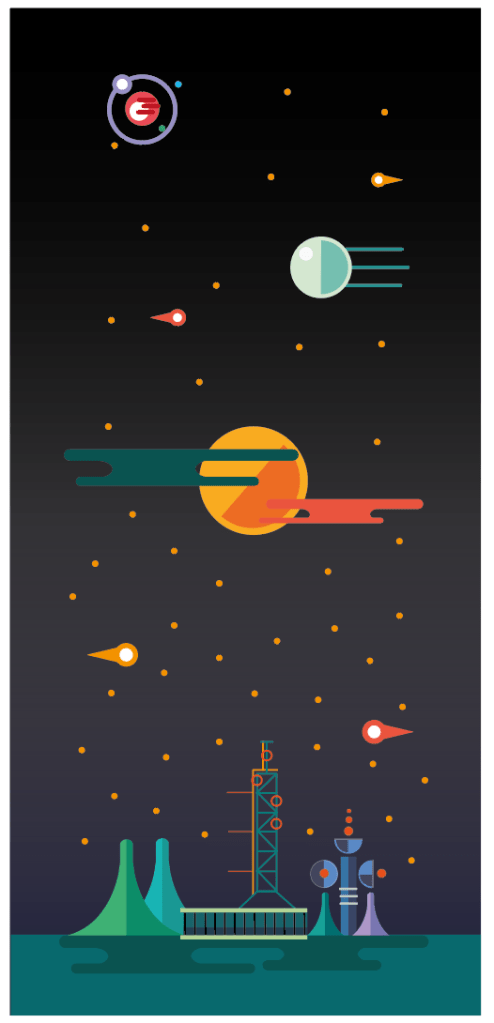
Finally, i added a background with a gradient, starting off light at the bottom and getting darker towards the top to give the sense of the rocket flying away from the earth and light. Again, i used bright colours and bold shapes.
After designing the background for the animation and adding the original rocket design to it, although both designs individually are very similar to the style I am using, they don’t fit together well so i created a new rocket which fits in more, i used the same style with the bold shapes and colours, however I think the new design fits much better with the overall style of the background and the shape of the take off pad.
I added the two illustrations to after effects and added an effect to the trails from the rocket to give the sense of movement. I also move the background down with the rocket staying central on the page to give the illusion that it’s soaring through space.
I decided to get rid of the stars on the background, as I tried to keep the whole animation simplistic, the stars overcomplicated it and added to much to the page which draws the eye away from the rocket in the centre.
Before starting my animation I looked into the different styles of animation and the way they show movement in different ways. I thought about the most common forms of animation such as traditional drawn animation, stop motion animation, 3D animation and 2D vector animation. I decided stop motion animation as well as 3D animation were not achievable in the time frame for what i wanted to achieve, and based around my ideas of a colourful, vibrant animation I didn’t think they ware suitable.
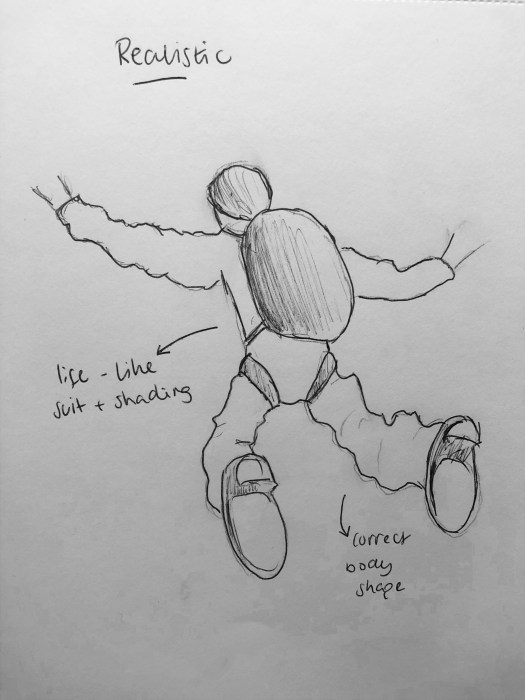
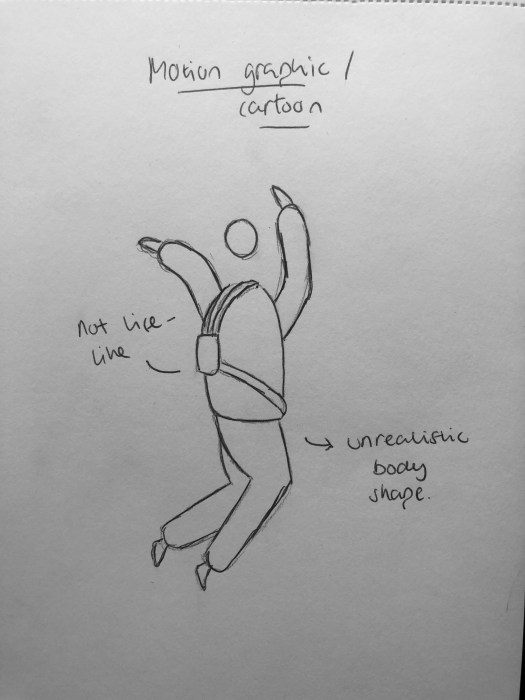
This led me down the road of 2D vector animation, in which there are many different styles. The main two that came to mind were realistic styles and motion graphic styles, both have unique and different styles. To help visualise them I drew sketches of both and used the sketches to create short animations so I could see what they looked like. I used my idea of a skydiver for the animation.
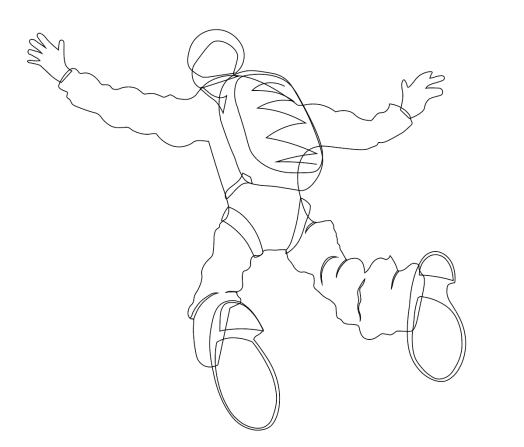
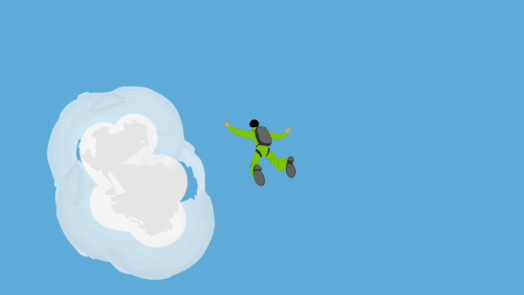
I scanned there sketch into the computer and designed it in illustrator using the pen tool. I tried to make it look realistic by keeping the clothing and body shape regular and in scale.
I then added the illustration to after effects to create my animation. I created clouds on illustrator and added a paintbrush effect to the outside to make it more see through and give a more realistic feel to it. I kept it simple by just reducing the size of the skydiver throughout the 10 seconds while increasing the size of the clouds to give the impression of him getting smaller as he falls from the sky.
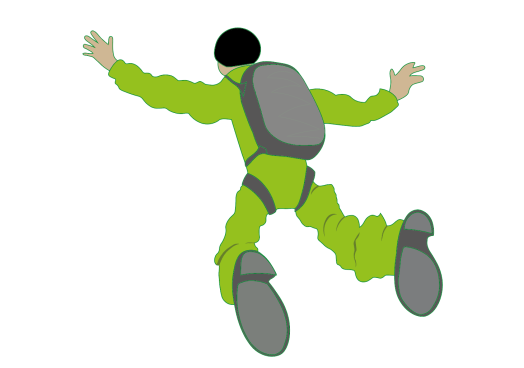
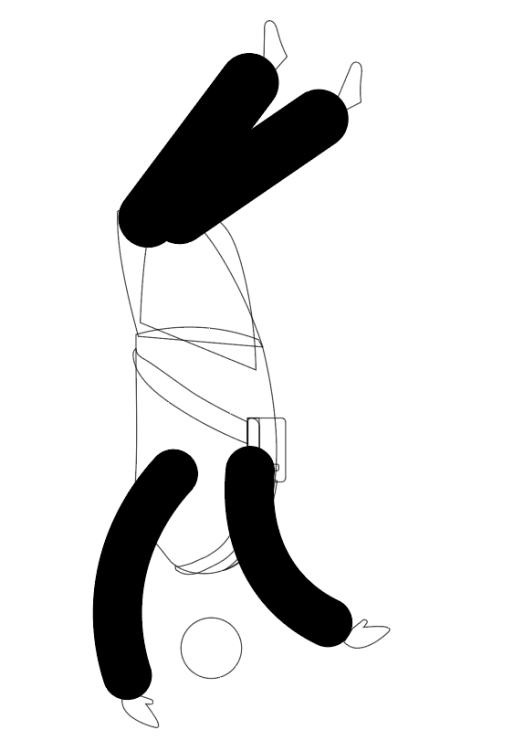
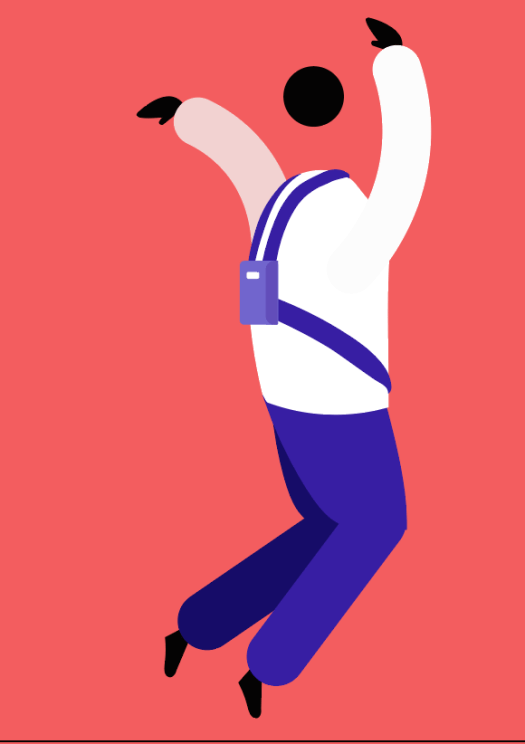
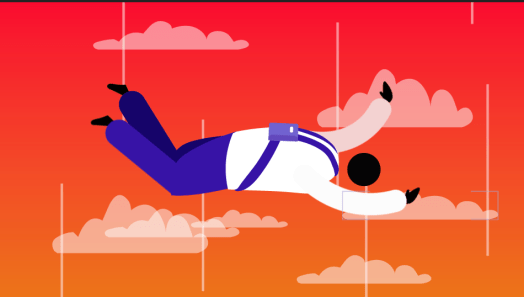
I then idea the same idea to create another animation using a more cartoon approach, taking influence from motion graphic and gif style animations. I made the body proportions and clothing very unrealistic.
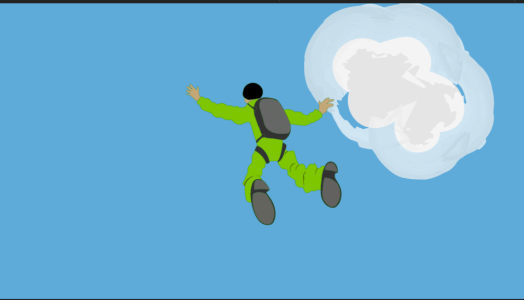
I then created the background using a gradient to give a sense of falling downwards towards the light. I used the bright colours to keep with the non-realistic theme and keep it relatively cartoony.
I animated the legs, arm and head with a wiggle effect on after effects which simply shook them up and down, it was simple but looked effective and over the top and gave the impression his arms and legs were blowing in the wind. I also added clouds in the background along with white lines, both on a loop which moved from the top of the page to the bottom, again a simple movement which gave the impression of falling.
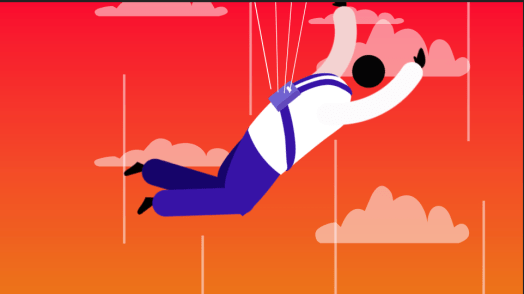
Overall I thought both animations were effective in showing the idea of falling from the sky, however the motion graphic approach using over exaggerated movements and bright colours created a much more simple approach to the animation, using small movements like the wiggle effect and clouds moving down to create a moving image and I think it looks much more simplistic and pleasing to the eye. After deciding to use this approach, i went back and sped up the movement of the clouds to show the speed he is falling at, and I added a parachute at the end of the animation, using 3 white lines which extend out of the bag, pulling the character off the page to give the impression of him slowing down.
Firstly I had to decide 5 things you could do in 10 seconds. I had a variety of ideas ranging from everyday things like eating or drinking, to funny things like chugging a beer, to amazing things like Usain Bolt running the 100m.
I decided it would make more sense to show all the amazing things people and do in comparison to sitting behind a computer waiting for a screen to unfreeze as these two things are the opposite ends of the spectrum, as if to say “this person can break a world record in 10 seconds, what will you do?”. I also had the idea to use ideas which involve a person and other technology, such as someone taking off in a rocket, both the astronaut and the rocket have done something extraordinary, as opposed to a computer and a person just sat around waiting.
I did some research into different things which can happen in 10 seconds in terms of world records and amazing things, and thinking about Usain Bolt running the 100m, the first things that came to mind were things that involve high speeds as 10 seconds is a short amount of time. I found out some things which can move at high speeds which include a person and object working together to attain high speeds in a short amount of time.
The main ideas I could think of were cycling, swimming, rockets taking off, airplanes flying, bobsleigh or skeleton, skydiving, etc.
I decided bobsleigh and skydiving are both things that many people will never be able to do so the are extraordinary and something a lot of people would love to try, they are also activities in which people can reach high speeds.
I also chose to use a rocket taking off for the same reason, flying in a rocket is something only a very small amount of people get to experience. It’s something which takes a lot of training and expertise and the thought of someone flying a rocket through space is a complete opposite of someone sat on a computer.
Finally, I chose to use cycling and swimming as my final ideas, i used these because although they are much more simple and don’t involve rockets or parachutes, the fastest cyclists and swimmers in the world are still extraordinarily fast using their skill and strength to reach high speeds, which is again an example people doing amazing things.
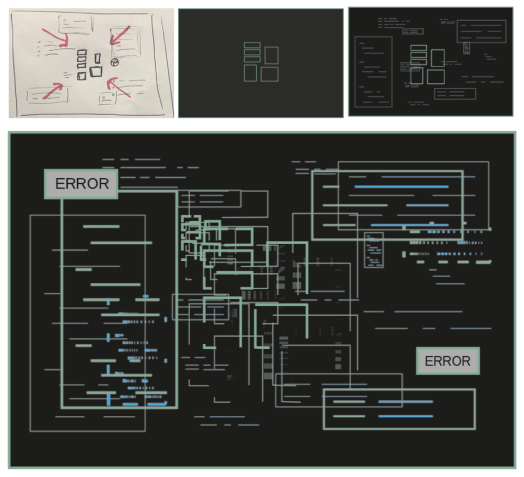
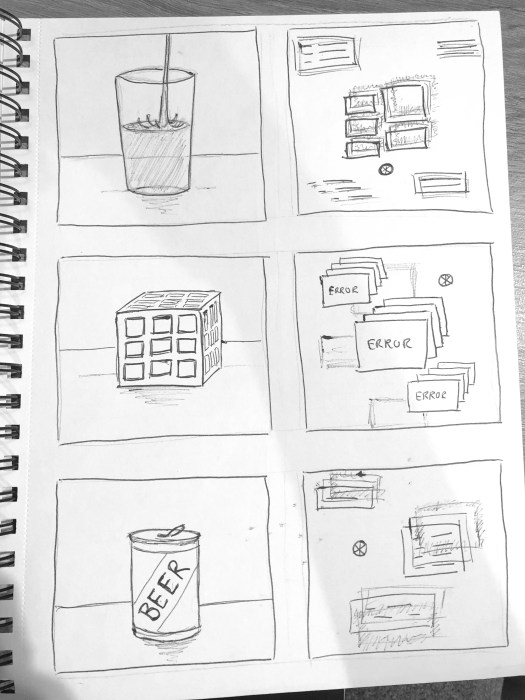
After sketching out different ideas and storyboards I analysed each idea. I was unsure about what style to use, between the idea of the entire thing being a buffering computer screen or the idea of ‘things you do can in 10 seconds’. To get an idea of what the first idea would look like, I used illustrator to give myself an idea of what it would look like. Again, I took influence from the style of the glitches in ‘The Matrix’ and layered shapes on top of each other to create the idea of pop ups on the screen and objects moving on the page.
I liked the general style of it but still wasn’t sure how it would look in an animation or video, so I created a storyboard so I could get more of an idea.
Although I like the individual images and the way they look, I think having a full video all consisting of the same or similar images could get too repetitive or boring, and the meaning behind it is too literal and leaves nothing to the imagination. Because of this reason, I decided not to go ahead with the idea.
I then had the ‘things you can do in 10 seconds’ ideas which I had to decide between. After thinking about all of them and imagining what they would look like in my head. Firstly I decided a split screen view was not the right path to go down, although it may show the contrast well, the split screen view gives the sense that two things are going on at the same time, whereas I wanted to give the idea of 2 completely different things you could be doing.
I then had two ideas, one of which the buffering screen comes up after every animation, in the other, the buffering screen doesn’t come up until the end when all the animations have played. Although the 2 ideas are very similar, I think the idea of only showing the buffering screen brings up the tension and shows the contrast between the two. If the viewer is aware of what the video is about it could come across as boring and wouldn’t be as interesting, whereas if the viewer is drawn into the video watching the animations and learning about what can be done in 10 seconds, the final scene will shock the viewer more and could make them think more about what they’re doing while their computer freezes.
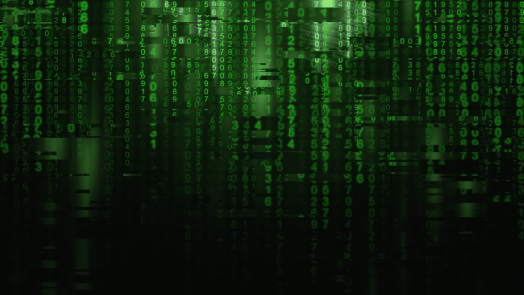
When I thought about my movement I initially thought about glitchy screens and found lots of images and videos similar to these, as well as lots of videos from films or movies, such as ‘The Matrix’. Firstly I looked at a traditional glitch effect and the main ideas behind it, like the colours and layers used, I then took lots of influence from the style and effects created by the glitch scenes in the film ‘The Matrix’, like the simple black and green colour way and the way it is made to look 3D just by adding layers on top of layers.
I came up with the idea to use a similar style in my animation. I would have the whole animation based on a computer which starts off with a screen working seamlessley and ultimately ends up with a complete frozen screen.
After initial sketch into the idea and what it might look like, I started to think about how the movement itself would be shown in the movement and how it would be clear to the reader what it is. Following on from my research, one of the main things that came up was that if you leave a computer to load when it freezes or buffers, it will go back to normal in a very short amount of time, however in reality no one ever really leaves a computer alone or stops clicking, and i based my general idea around this. I came up with the idea to have a narrative of one person using the computer, doing work or searching on the internet whose ‘character’ would be shown using the mouse. The other would be what he’s thinking inside his head, this would be shown with text on the screen. The mouse would be moving around the screen, constantly clicking to get the computer to hurry up or stop freezing, and the text would be telling them to stop clicking and leave the computer alone.
After my picture association I also started thinking about the idea of having lots of shouting and anger towards the computer as it starts to freeze and thought the shouting would be a good way to implement the text onto the page.
Idea 1 storyboard
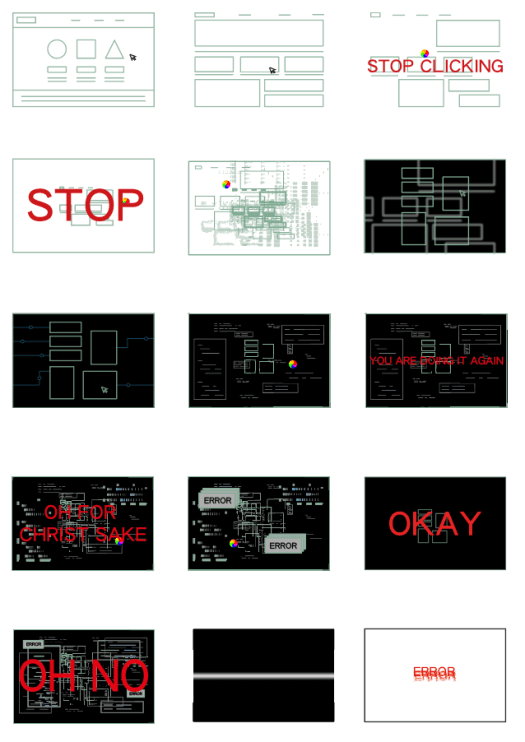
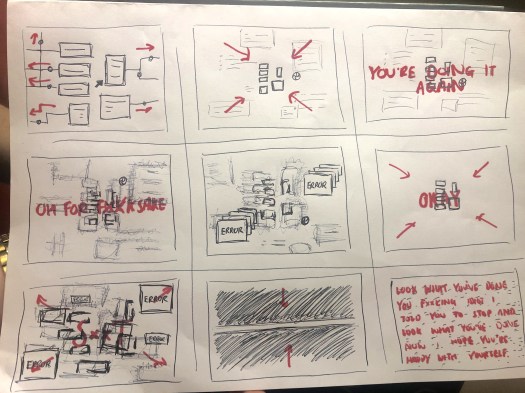
I created a rough storyboard about my idea. The first 3 scenes would be the websites transitioning seamlessly. It will then start to freeze and buffer. The loading icon is in almost every scene to show the buffering, and the text will pop up to tell the user to stop clicking and wait for the screen to load. As it goes on, the buffering becomes more sever and the text will get larger and ‘angrier’ to the point where the computer breaks down.
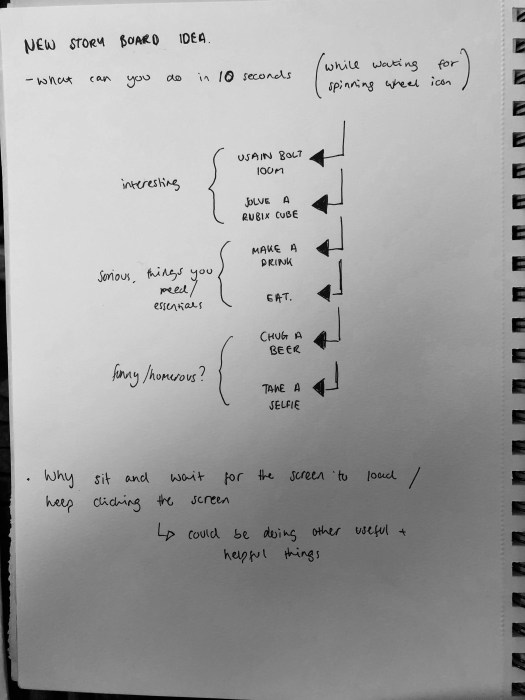
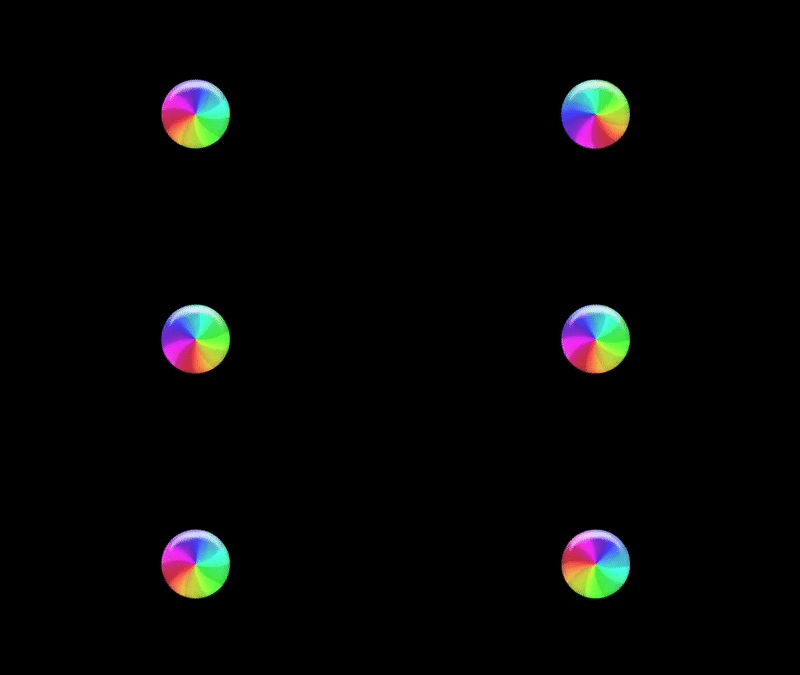
After revisiting my picture association I asked myself after seeing the picture of the apple loading icon ‘how long will it be there for’ and ‘what could I be doing instead of waiting for it’. I did some research into the spinning wheel loading icon and found out sometimes the only way to get rid of it is to force quit the application, however most of the time it will only appear for around 10 seconds while the problem is being fixed and then it will go back to normal.
So I started thinking of thing you could do in 10 seconds and came up with lots of different ideas. I thought of lots of different ideas, such as Usain Bolt running the hundreds meters as an amazing and interesting fact, to normal things like eating or drinking, to funny ideas like taking a selfie or chugging a beer. I could use the idea to either show what funny things you could do, or I could use it to show what amazing or extraordinary things people can do which will shock the viewer.
Idea 2
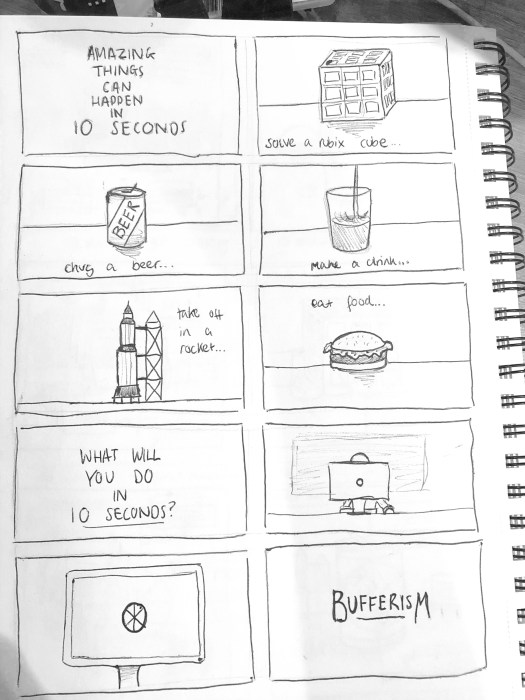
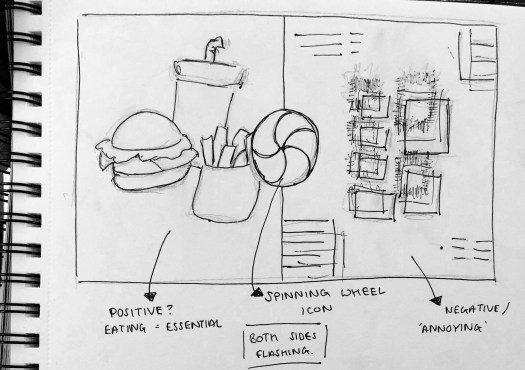
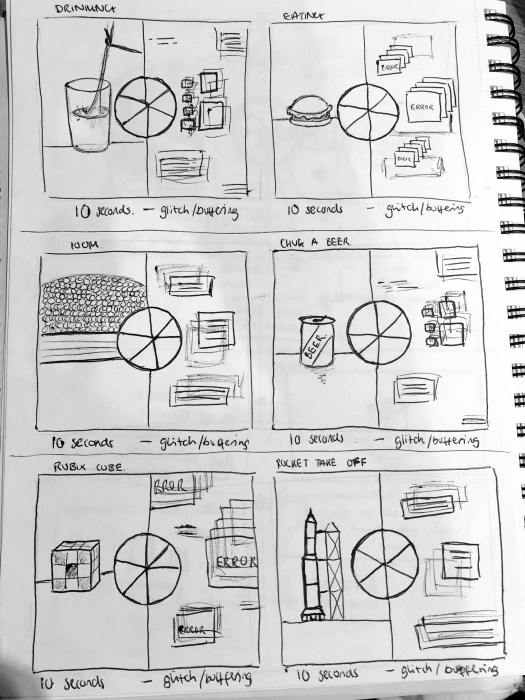
The first idea I had was based around a slit screen view, where one side would be the activity being carried out, in this case eating, in contrast to the buffering happening on the other side of the screen, to show what you could do whilst waiting for the screen to load. The spinning loading icon would be the centre point of the design with 5, 10 second scenes showing what you can do in 10 seconds and the buffering screen staying the same the whole way.
Idea 2 storyboard
Idea 3
My 3rd idea is similar to idea 2, however instead of each of the animations lasting 5 seconds each, they only last 2 seconds each and flash between them. The loading icon would be spinning throughout and The buffering screen would stay the same.
Idea 4
My next idea was the same principle but without a split screen effect. It would be 5, 10 second animations. The video would flash between my animations of ‘what you can do in 10 seconds’ and the glitchy, buffering screens, with the spinning loading icon popping up between every animation.
Idea 4 storyboard
Idea 5
My final idea is again very similar, however instead of flashing between the two animations, or having a slip screen I would have the 5 animations about things you can do in 10 seconds back to back, transitioning from one to the other, with the final scene being a frozen/buffering computer with a grumpy, tired looking man sat at it. This will show the audience all the amazing things you can do, and show contrast between what you should be doing and what you will actually be doing.
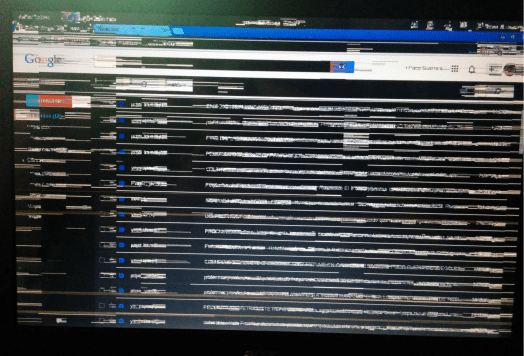
After deciding on my idea of buffers, I thought the best way to come up with some initial idea would be to do use picture association as the image is very noticeable and everyone will have strong feelings about the image. I asked myself what, where, why and who, as well as what feelings people would have about it.
WHAT? – frozen screen on a laptop or computer. Google search engine, could be mixed with other windows which have glitches together. Very dark and hard to read or understand anything on the page.
WHERE? – could be in a room in private in someones house, in a library or an internet cafe, all of which will have an impact on how the user reacts. Do they get angry and break the computer? Do they stay calm in a public place? Do they get angry with employees in the library or cafe for having faulty equipment?
WHY? – as i found out in my research they could be lots of reasons to why the computer breaks down, most of which people don’t know about, which could lead to people reacting badly to the problem even when its their own fault (not letting the computer load, too many programmes). This could lead people to react badly, or if they are aware of the problems it could cause someone to be very calm about the issue.
FEELINGS? – I thought about how people would feel after seeing the image, anger was the first thing that came to my mind, a lot of shouting and swearing, even people getting aggressive or punching things in extreme cases. They could be getting angry about losing work, not being able to do their work properly,not being able to play a game or search online etc.
I then looked at images of loading icons and thought the most recognisable one would be the spinning wheel from apple. Similar to the first image, I asked myself questions and came back for very similar answers to what Idid previously, however I did begin to think ‘How long will it be there for?’ and ‘What could I do in the time i’m waiting for it?’.
I did some research into why screens buffer and what happens within the computer when it happens. I found a variety of reasons why a computer can freeze, such as
Corrupted Drivers. Drivers are always being used by your computer to communicate with other hardware devices and the operating system. Every now and then drivers can malfunction and cause the computer to slow down or freeze.
If you have too many programmes open your hardware resources, such as memory, will be used up pretty quickly and your computer will start to lag or freeze.
You could also download extensions or apps that are poorly written and can cause it to run slowly and freeze or buffer, similarly and external device such as a memory stick can cause a computer to freeze if it is faulty, after it’s plugged in the computer may become slower.
HOW TO STOP IT
I then searched up how you can stop or help it once a computer freezes. I found out that sometimes a screen can freeze to the point where the programme or computer must be rebooted in which case all the work which is unsaved will be lost, which make the movement of Bufferism even more relatable as i’m sure everyone can relate to losing work.
I also found that most of the time if a computer freezes, it will reboot and unfreeze in a short amount of time, so leaving the mouse and keyboard alone is the best thing to do. However if you click too many buttons or press too many keys, once the screen has reloaded, everything that was pressed previously will load which could freeze the screen further.
Overall out of the ideas I thought of I decided slow internet was an idea which is very relatable to a lot of people, and has a lot of visual signs such as the loading icons which will be recognisable. There is also lots of different roads I could go down into different aspects of slow internets.
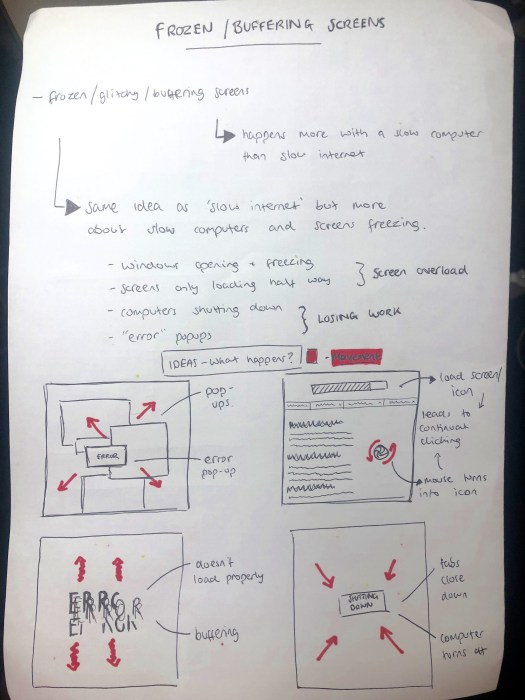
After looking into the idea of slow internet, I looked and thought more into the idea of frozen and buffering screens, as well as the loading icons and decided these aspects happen more with slow computers than slow internet, for example screens freezing or buffering because of slow or old computers, or having too many programs open in the background. I decided to call the movement ‘BUFFERISM’ which is a movement against screens buffering or freezing, and more specifically encouraging people not to just sit around and wait for their screen to unfreeze. After deciding the name and the general idea, I thought about the main visual language and the things I thought about when i think about Bufferism.
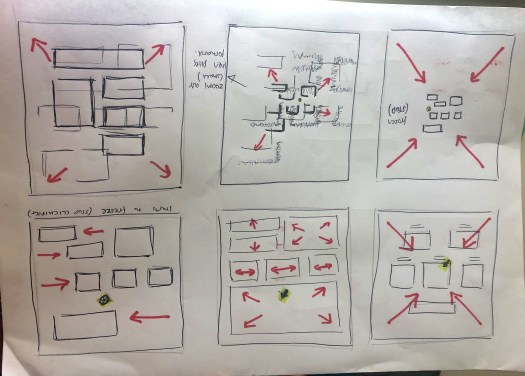
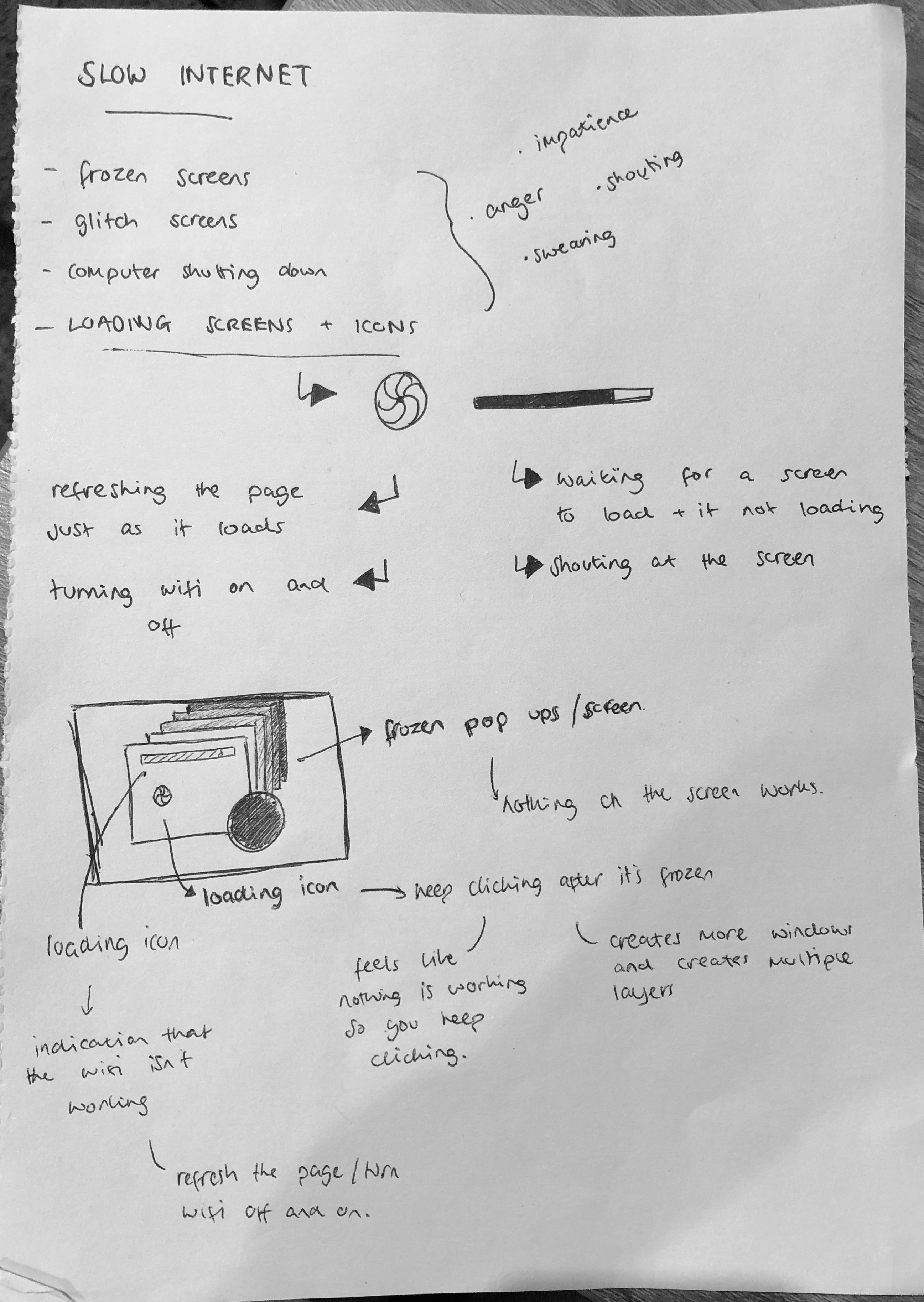
I thought about windows opening and freezing and screens loading half way and freezing, which could lead to the screen or computer overloading. I also thought about computers shutting down or error pop ups as extreme examples. I sketched them out and sketched in red the movement which occurs, such as th popups getting bigger or smaller, and the loading icon or ‘spinning wheel of death’ spinning and thought these could be vital ideas of how I could show the movement.
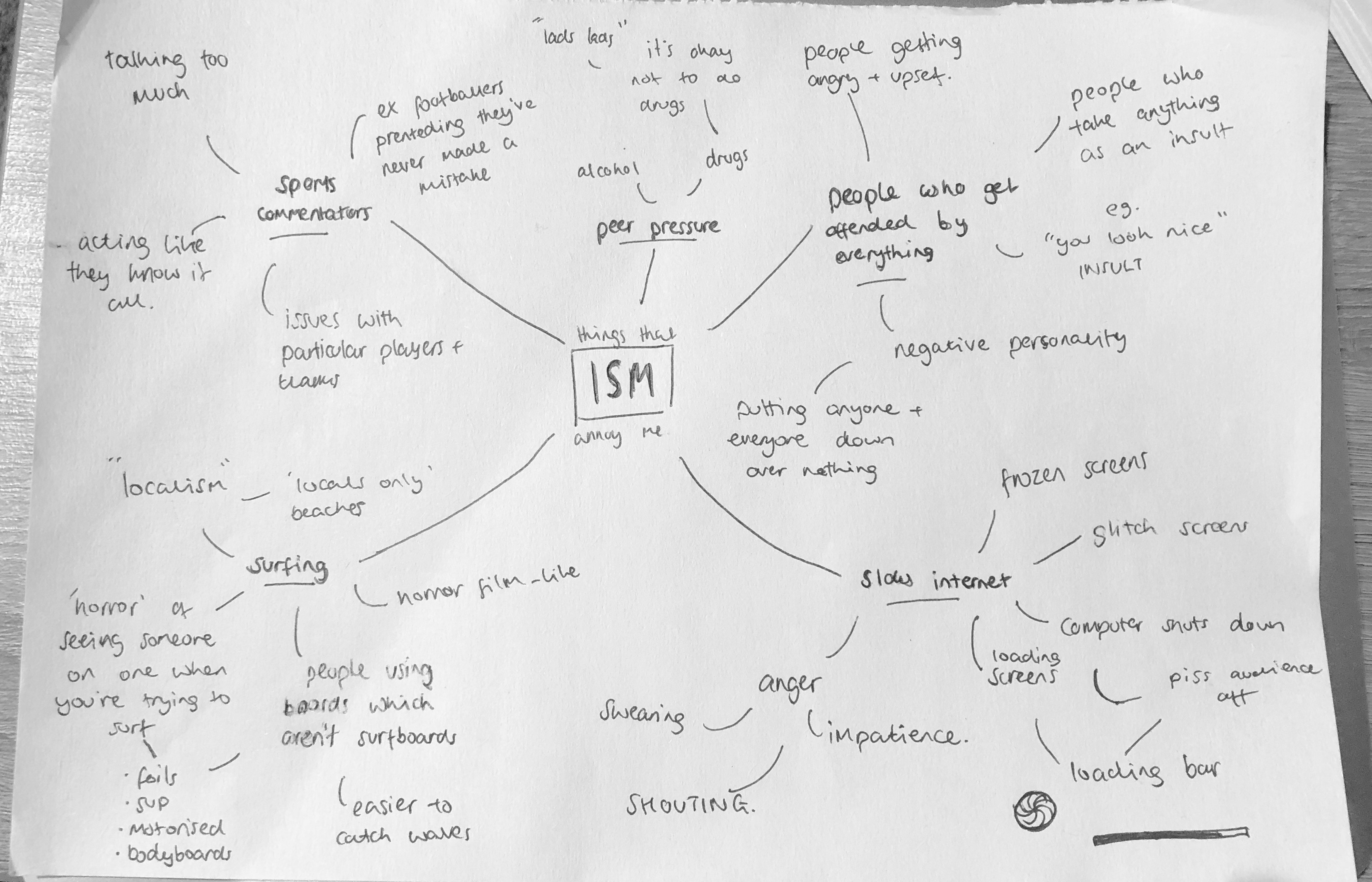
For my initial ideas and idea generation I used a mind map to come up with ideas and the first things I thought about were ‘things that annoy me’.
As shown in the mindmap, I wasn’t short of things that annoyed me so had plenty of ideas. I wrote down some examples and pulled out those which I felt had the most ideas behind them, such as surfing, slow internet and peer pressure.
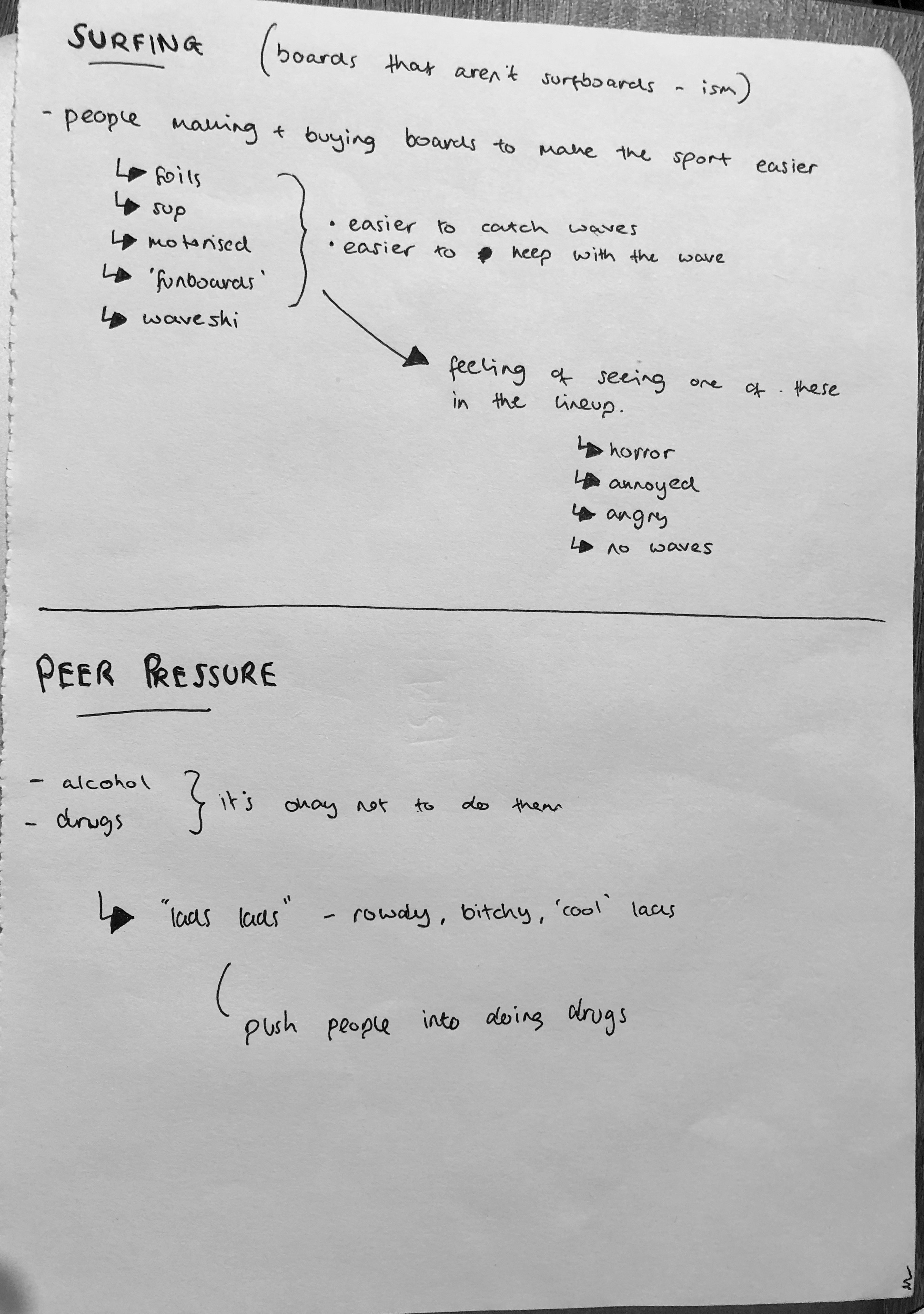
I started off looking into surfing or ‘Surfism’. This was the idea that within surfing, new technologies are being made which make the sport easier. It would be a movement against the new technologies such as SUP’s, foils, motorised surfboards etc which make it harder for people who have surfed all their lives to find waves. I thought about how surfers feel when they see someone paddling out into the lineup on one of these boards and the best word I could think of to describe it was horror.
I then looked into the idea of peer pressure in relation to drugs and alcohol, and specifically some of the people who might try to pressure you into it. I thought of my own experiences in uni and beforehand and thought about the idea of ‘lads’ who try to push people into doing things, or egg each other on through being rowdy and loud to act ‘cool’.
I thought about one of the things that annoyed and angers me the most and decided slow internet was up there with the most annoying. I thought about different aspects of slow internet which were most annoying such as the loading icons or frozen screens for more severe cases. I also thought about the different feelings associated with slow internet and thought of anger, impatience and lots of shouting and swearing.

 Ben Jackson